⚽ Soccer Graphics

Soccer scoreboard overlays that look pro on your stream

Scorebugs, lineups, alerts and standings that go from template to on-air in minutes. Run one match or a whole tournament, and score it from a phone. No dedicated ops team.
Browse soccer templates
No credit cardOBS
Soccer scorebug live preview
Templates

Nine graphics, one look

A matched set in the Floodlight style, made to work together from team news to the final whistle. Every template is fully customizable and driven live from the control panel.

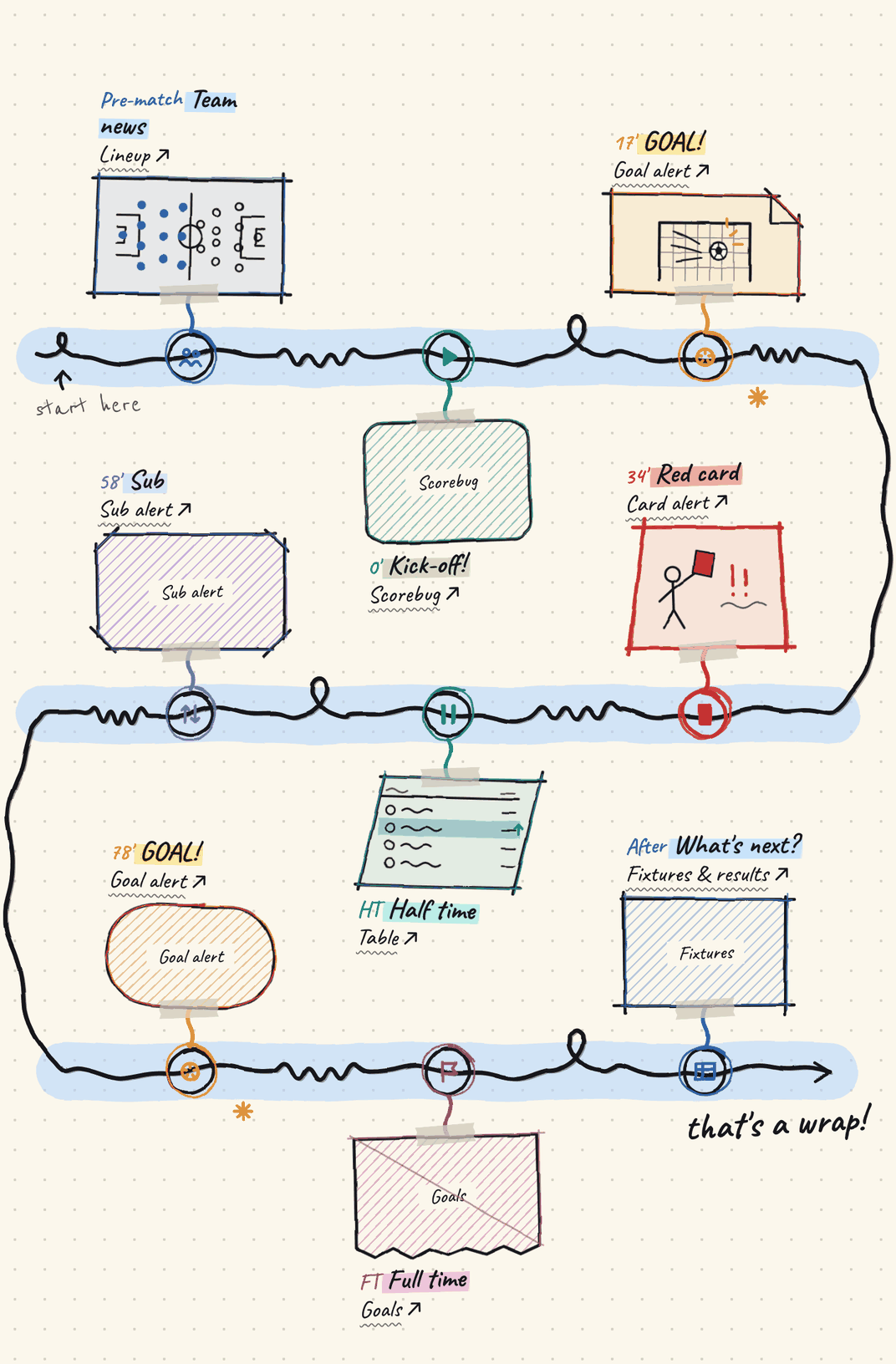
A match day, graphic by graphic.

Here's what goes on screen, and when.

(click any card to open that template)
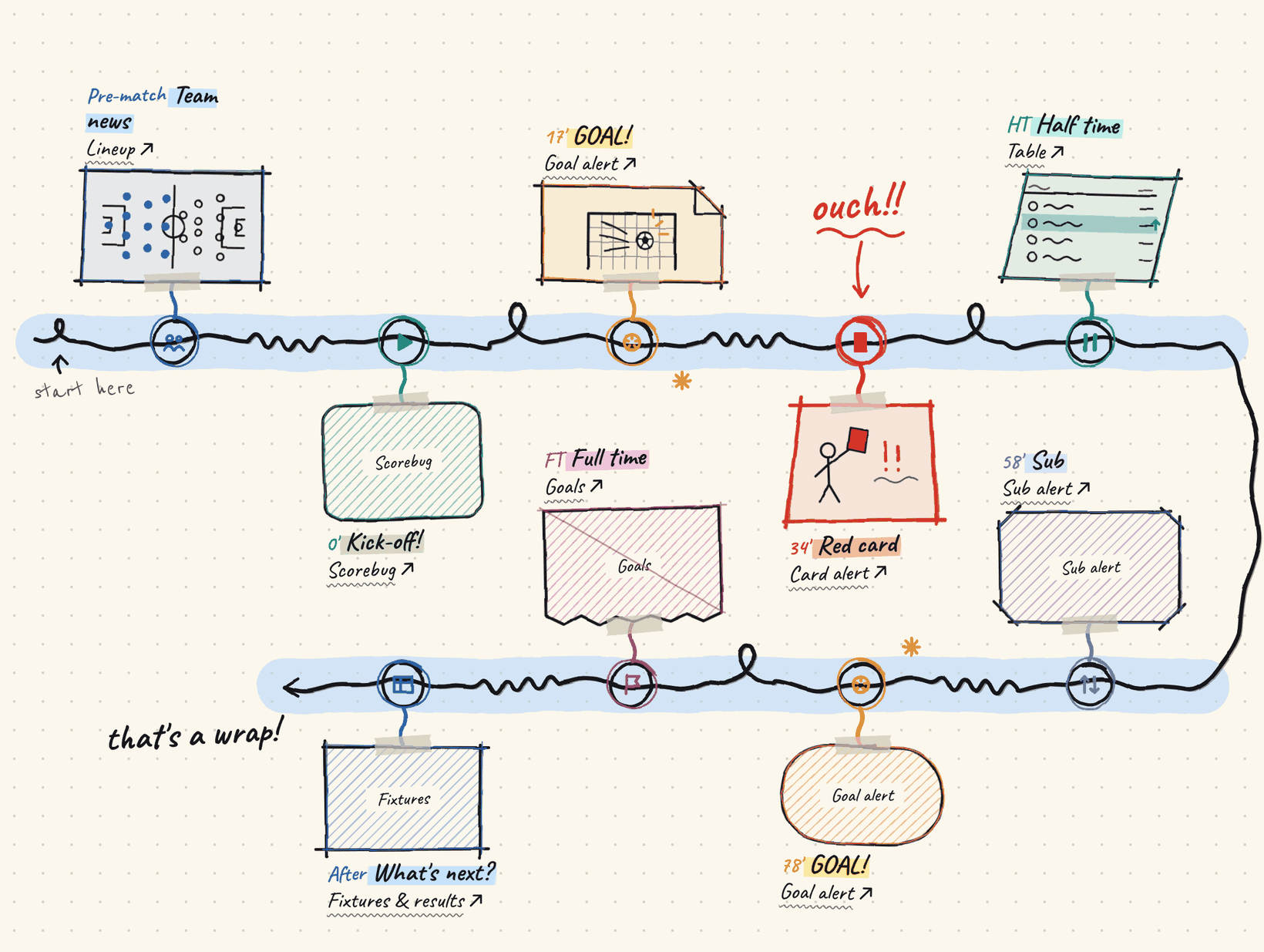
A hand-drawn timeline of a sample match with the graphic for each moment. Before kick-off: the lineup. At kick-off: the scorebug. 17 minutes: a goal alert. 34 minutes: a red-card alert. Half time: the table. 58 minutes: a substitution alert. 78 minutes: another goal alert. Full time: the goals summary. After the match: fixtures and results.
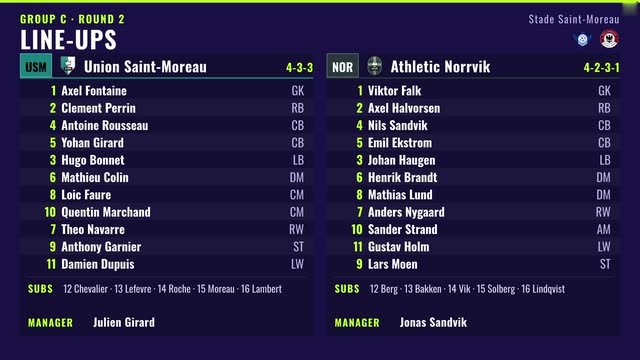
Lineup template
Before kick-off
Lineup
Starters, bench, formation and manager for both teams, from 5-a-side to 11-a-side.
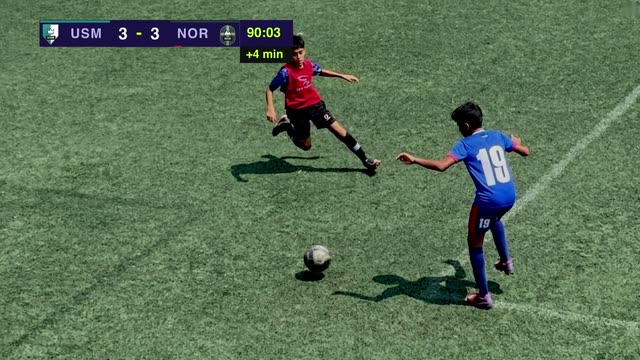
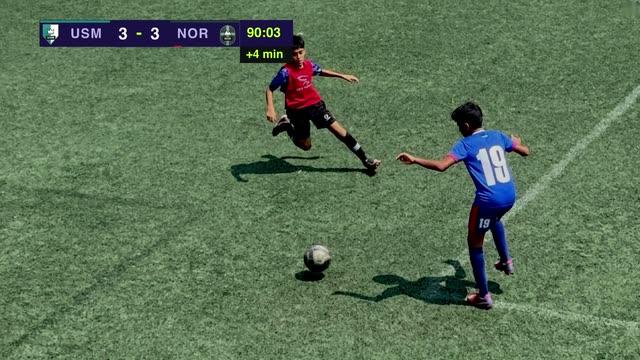
Scorebug (Dark) template
All match
Scorebug (Dark)
Score, clock, added time and red cards, with each team's crest and colour.
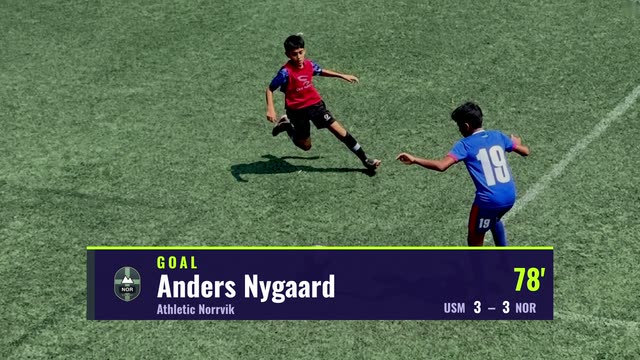
Goal alert template
As it happens
Goal alert
Shows the latest goal. You bring it on air when you're ready.
Card alert template
As it happens
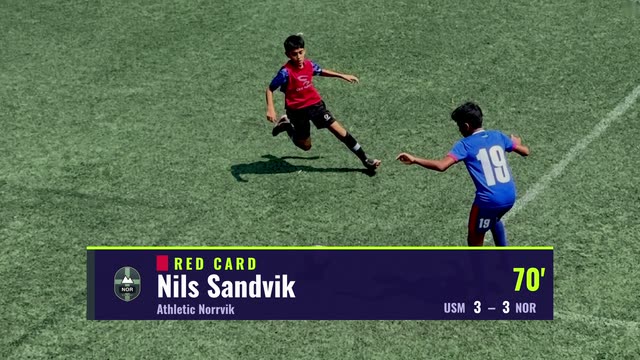
Card alert
Shows the latest booking. You bring it on air when you're ready.
Substitution alert template
As it happens
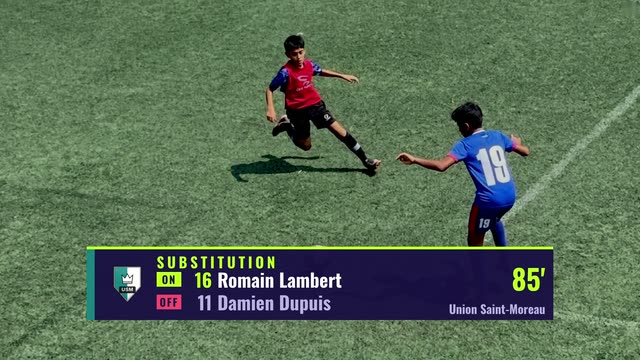
Substitution alert
Shows who came on and who went off. You bring it on air when you're ready.
Goals template
Half time and full time
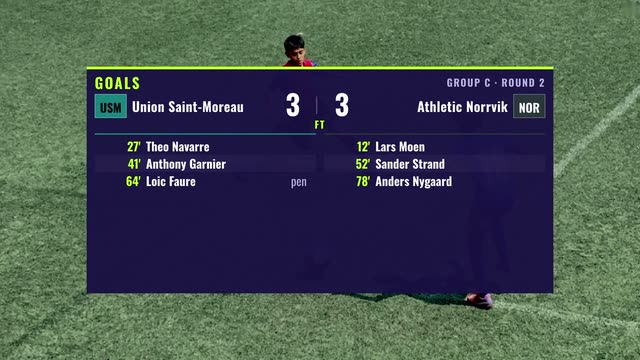
Goals
The scoreline with who scored and when.
Table template
Tournament
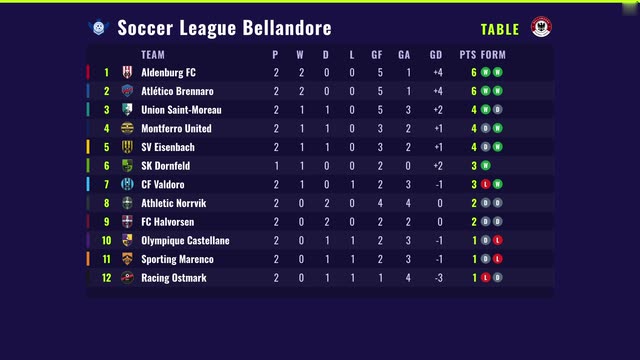
Table
Standings for up to twelve teams, with recent form.
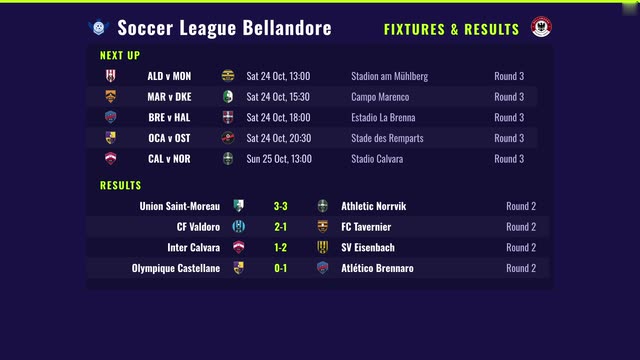
Fixtures & results template
Tournament
Fixtures & results
What's next and how it went, read from your tournament.
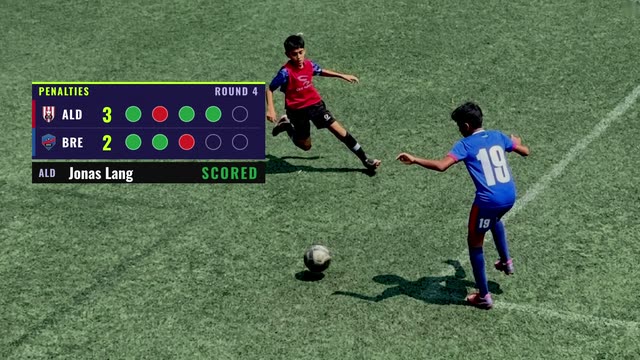
Penalty shootout template
Penalties
Penalty shootout
A tracker that fills in kick by kick, with a banner for each kicker.
Browse all soccer templates →
How it works

From first fixture to final whistle

One connected flow. Score a match once, and every graphic that needs it, in the match and across the tournament, has what it needs.

01
Tournament
Add your squads, generate the fixtures, and set dates and venues. Split into pools for a group stage.
02
Match
Open a fixture and everything for the match is in one place: lineups, live scoring and its graphics.
03
Graphics
Score a match live and the scorebug and alerts have what they need. At full time the standings update and the Top scorers tab fills in.
Tournaments

Run the whole league in one place

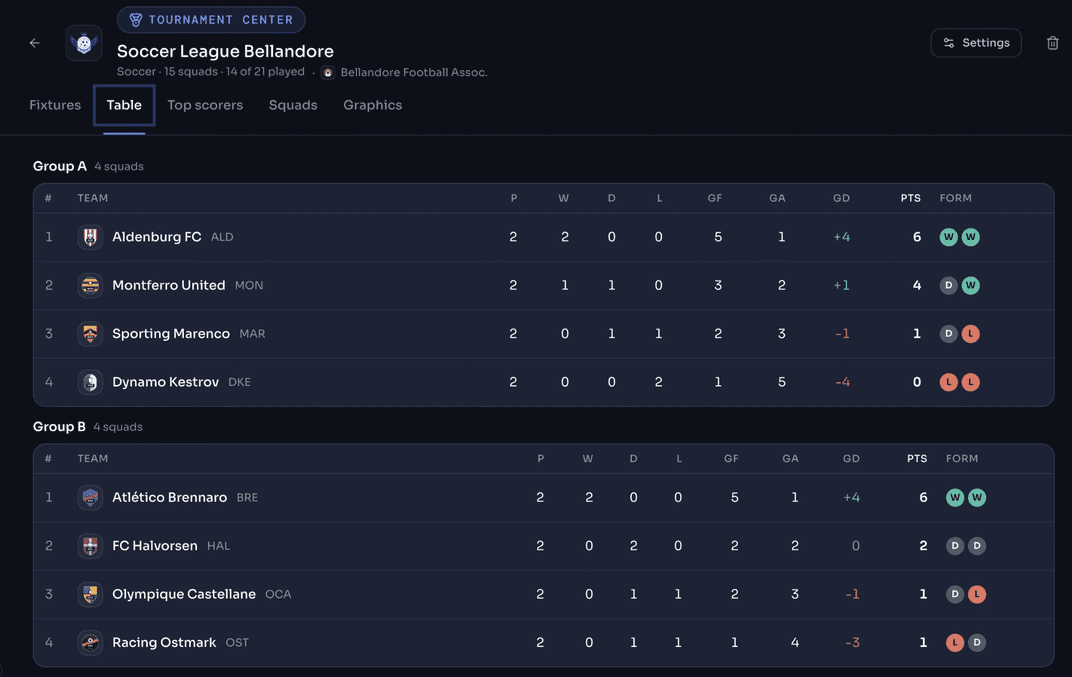
Set up a tournament once. Squads, fixtures, standings and top scorers are tracked for you, and they update when a match finishes.
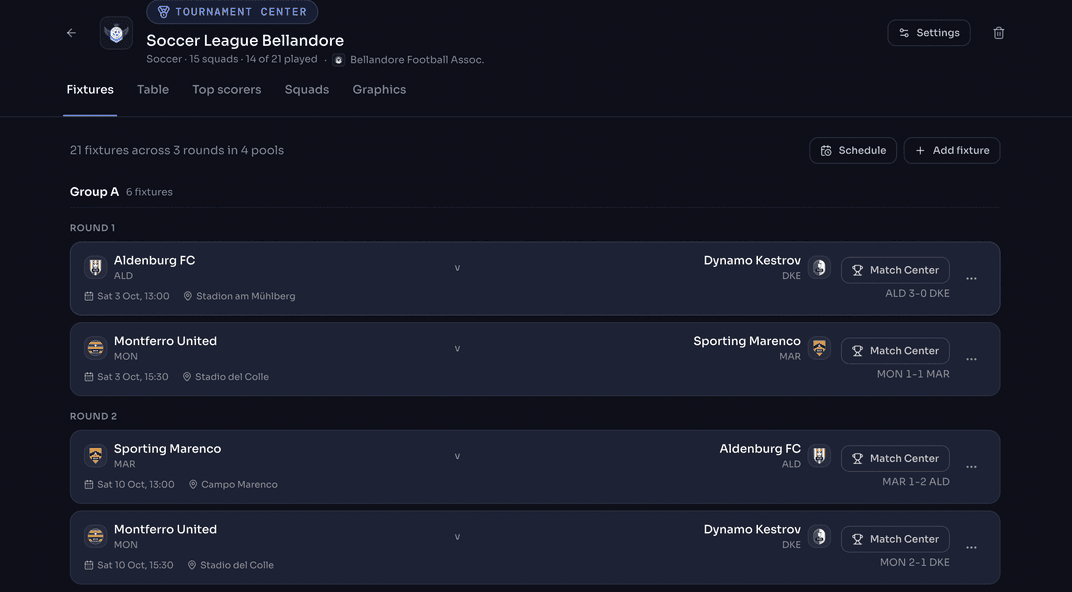
Fixtures in one go. Generate a round-robin, or add fixtures by hand, each with a date, time and venue.
Pools for group stages. Each pool plays its own round-robin and has its own table.
Your rules. Choose how ties are split (goal difference, head to head, or points only) and whether a shootout win counts as a win.
Logos everywhere. Give your tournament, squads and organizers a logo, and your graphics show them.
Tournament Center fixtures tab
Tournament Center standings table
Match day

Everything for a match, on one screen

Match Center brings lineups, live scoring and every graphic for a match together, with an on/off air switch for each one.
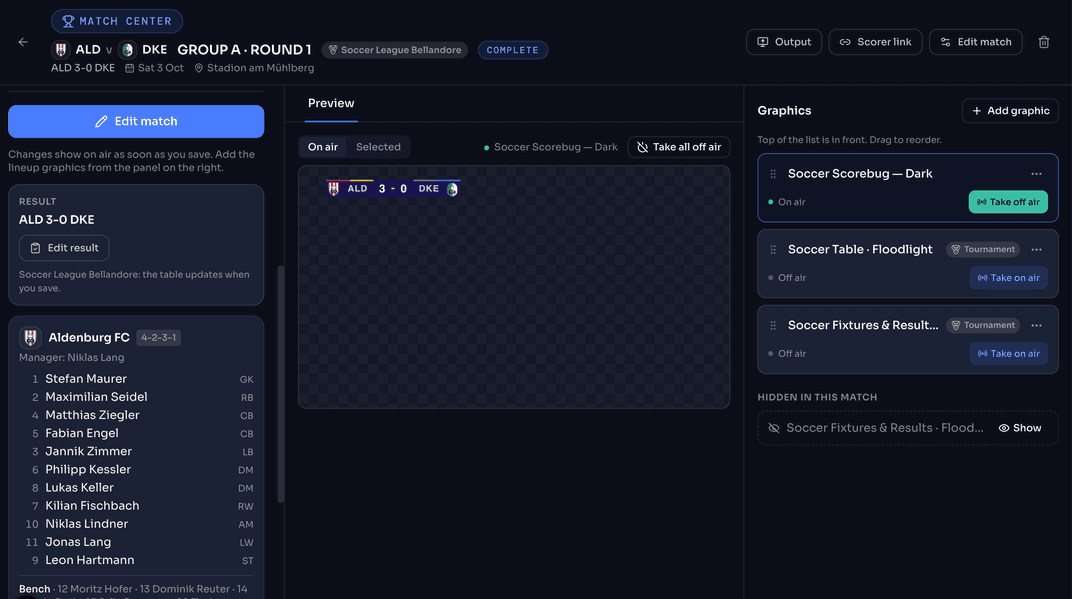
Match Center with live scoring and graphics
Preview before you go on air. See each graphic before it goes out.
One button to clear the screen. Bring graphics on and off one at a time, or take them all off at once.
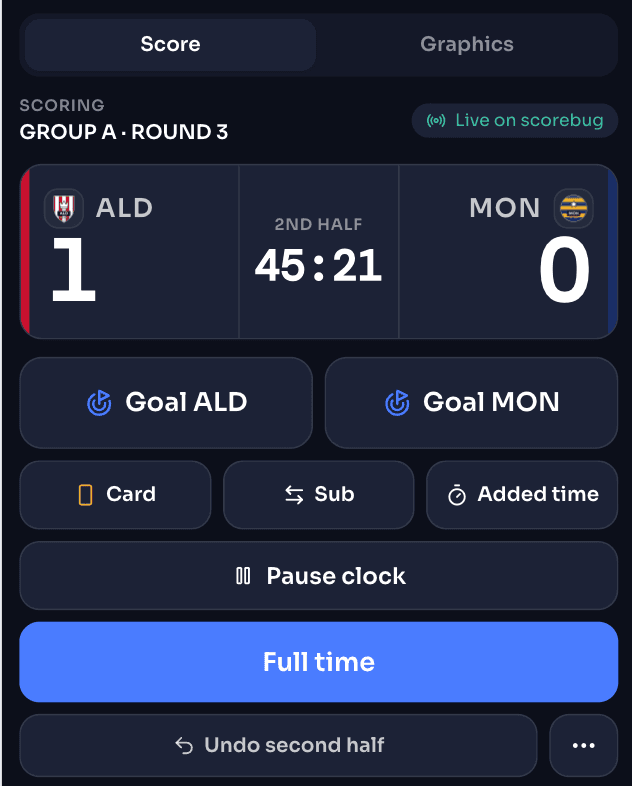
Score from a phone. Send a scoring link to whoever is at the ground, and they tap goals, cards and substitutions as they happen.
Penalty shootouts, kick by kick. Tap Scored or Missed, and the tracker and the scorebug keep up.
Set the match your way. Choose the half length, let the clock follow the match, and paste a team list to fill the lineup.
Scoring a match from a phone
Why CloudMonet

Built for how small crews actually broadcast

01
Free to try, simple to go live
Every plan includes the full editor, templates, live data and tournaments. Pro is $5/mo (billed annually) and removes the CloudMonet watermark to make your stream more professional.
See pricing →
02
Easy setup
Open a browser tab and you're live in minutes. Nothing to install, no render machine to manage, no IT involved, and no credit card to start.
03
Simple OBS setup
In OBS, just add it as a Browser Source and paste in the URL. You can also add the control panel as a custom dock. For other platforms like vMix, Wirecast, and Streamlabs, the steps are nearly identical.
04
Broadcast-quality graphics
Transparent backgrounds, fluid animations, and crisp HD detail — the kind of polish you'd expect from ESPN, at a fraction of the cost.
Playout

Set up once in OBS, then run anywhere

Most soccer crews start on OBS Studio, so we made that path exact — a Browser Source, one URL, done. Every other playout follows the same Browser Source pattern.

Full OBS guide →

Using another live streaming software? Check out these guides:

OBS
OBS Studio — recommended path
1
In Sources, click + → Browser and name it "CloudMonet Graphics".
2
Paste your match's CloudMonet URL, set width 1920 / height 1080, and check Shutdown source when not visible off.
3
Right-click the source → Transform → Fit to screen. Alpha carries through automatically — no chroma key needed.
4
Add the control app as a custom dock (Docks → Custom Browser Docks) so you can drive the match without leaving OBS.
The Control App

A simple panel for the operator

Score, clock, cards, and subs — all single-tap. Dock it right inside OBS and update the graphic live, without ever opening the editor.

Big buttons, built for quick taps
Undo any mistake in one tap
Works on any device — just open a link
Highlights

The moments that matter, ready on cue

Score controls
Increment, correct, or reverse a goal in one tap — the on-air graphic updates in real time.
Red card
Red cards appear instantly as a tally right in the scorebug — no separate graphic needed.
Clock
An automatic match clock, right in the scorebug — pause and reset it for halftime and water breaks.
Goal animation
A full-screen GOAL animation, triggered with one click the instant the ball hits the net.
Stoppage time
Add stoppage time the moment the referee signals it, and the clock keeps counting past the half.
Customization

Make it look like your broadcast, not a template

Every graphic ships editable at a granular level — colors, type, and team data all live in one place so a rebrand takes minutes.
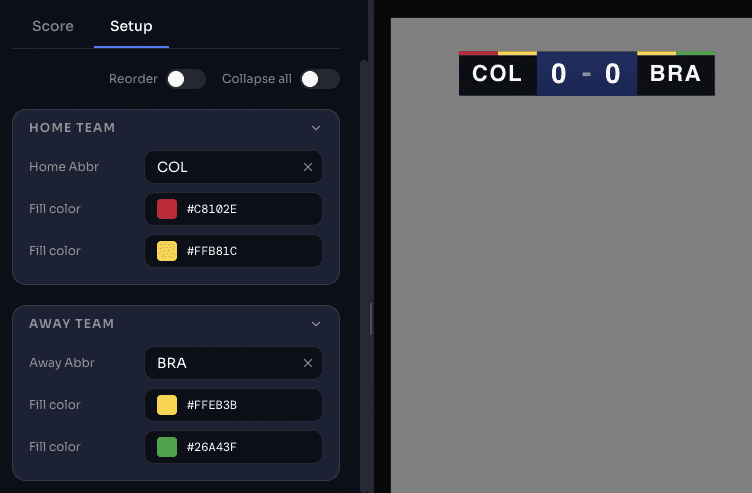
Team colors, gradients & crest edits
Customizable font options from a library of Google fonts
Roster & formation setup, reusable across matches
Graphic customization setup
Advanced Editor

When a template isn't enough, open the canvas

The full featured editor underneath every template — move any element, add layers, build entirely custom graphics, and save them back as your own project.
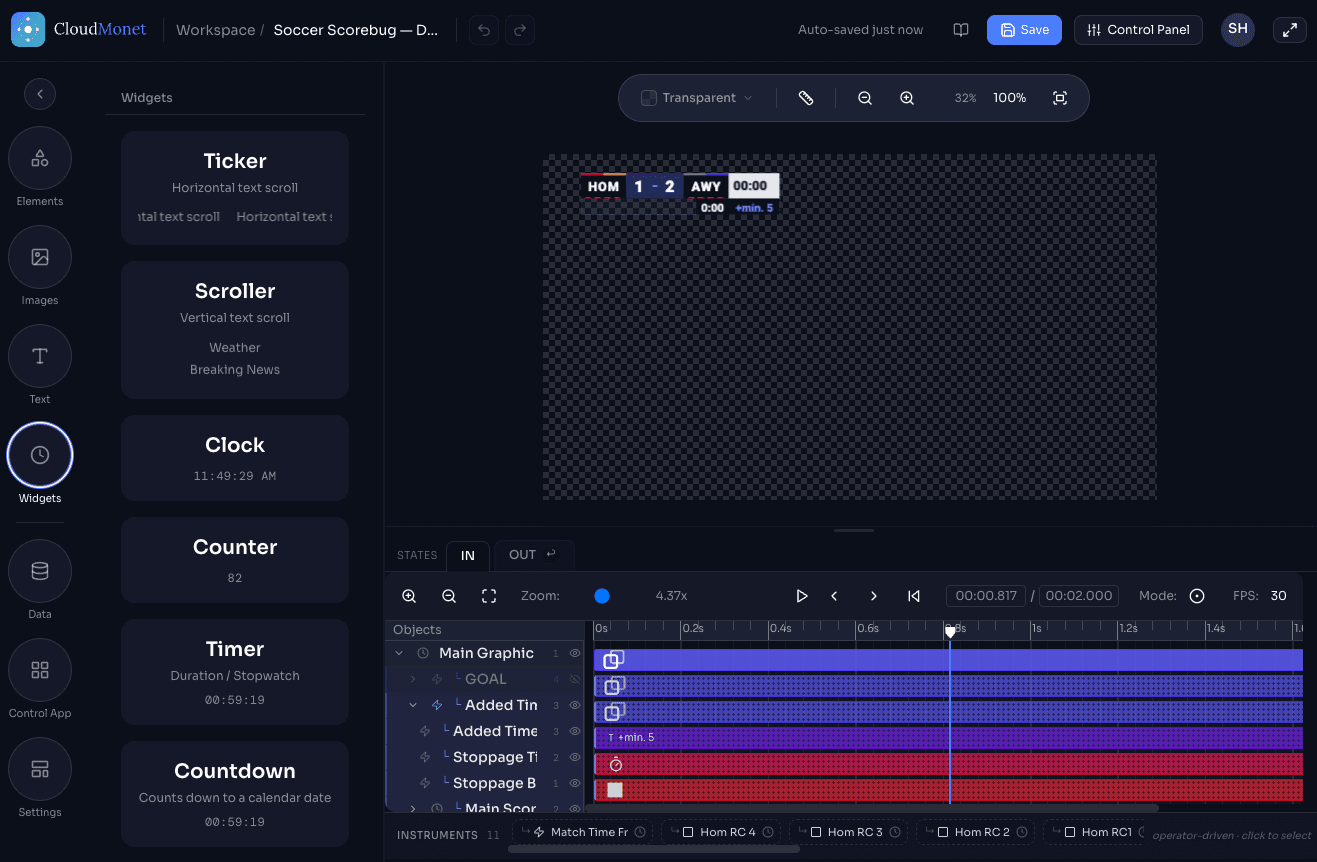
CloudMonet advanced editor
FAQ

Frequently asked questions

What is this scorebug?
A live scoreboard overlay for soccer — team names, crests, score, and match clock — driven from a control panel and rendered right in your browser.
Who should use it?
Anyone running a soccer broadcast without a full production team — weekend leagues, club and school matches, and small streaming setups that need broadcast-quality graphics without the overhead.
What can I customize?
Team colors, gradients, and crests, fonts from a library of Google Fonts, and roster & formation setup — all reusable across matches.
How do I handle penalties and team lineups?
Use the Penalty shootout template. In a match, tap Scored or Missed for each kick and the tracker fills itself in. Paste your team list, and the Lineup template shows both teams.
Can I run a whole tournament?
Yes. The Tournament Center tracks squads, fixtures, pools, standings and top scorers, and updates them when a match finishes. Every plan includes tournaments.
Can someone else score the match from their phone?
Yes. Send them a scoring link and they can score from their phone. If you allow it, they can also bring graphics on and off air.
Do the alerts come on by themselves?
No. You bring each alert on air when you want it. It fills in with the latest goal, card or substitution.
What if I didn't score the match live?
Enter the result by hand and the standings update. You can correct it later.
Can I use this with OBS?
Yes — add it as a Browser Source and paste in the URL. Alpha carries through automatically, no chroma key needed. The same steps work for vMix, Wirecast, and Streamlabs.
Are there other templates for soccer?

Yes. Beyond the nine Floodlight templates (lineup, scorebug, goal, card and substitution alerts, goals, table, fixtures and results, and penalty shootout), the gallery also has the Soccer Scorebug in Dark and Classic, and the World Cup scorebugs. Not every feature described above is supported on every template.

We're also adding new templates to the gallery all the time.

Can I make changes to these templates?
Yes — every template opens in the full editor, where you're not limited to colors and fonts. Design and animate every element on a timeline, build entirely new widgets and features, and save the result back as your own project.
Can I request new features and templates?
Yes — drop us a note at support@cloudmonet.in.

Your next match kicks off soon

Browse all soccer templatesTalk to us