
Cricket Scorebug
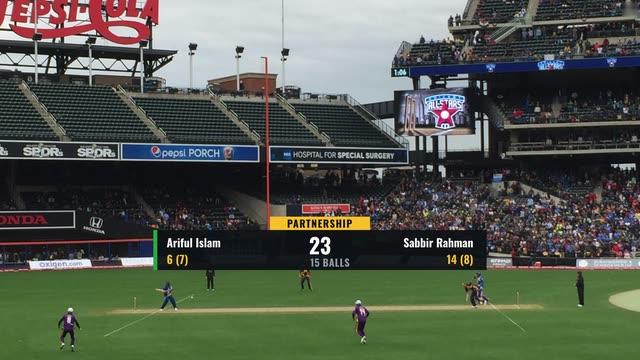
Full-width cricket scorebug for limited-overs matches: batting side and score, overs, both batters with runs and balls, the bowler's figures, the current over ball by ball, a strip for run rate or the chase equation, and a FREE HIT badge.
One bar, three fixed zones
Score, batters and bowler each own a fixed zone of a single 1536 px bar at the bottom of title-safe. Cricket viewers glance at the score between deliveries, so each number sits in the same place every ball.
Striker always on the top row
The feed always sends the batter on strike as `strikerName`, so the top row is the striker and a fixed yellow marker is enough to show who's on strike. There's no swap logic in the graphic.
One strip, four jobs
The yellow strip is bound to `infoLine`, which the sheet changes as the match moves on: the toss before ball one, run rate and powerplay in the first innings, the target at the break, the chase equation during the chase, and the result at the end. It is always relevant, so the strip never needs hiding.
FREE HIT shown by data, not an operator toggle
The badge's plate and label are bound to `freeHitColor` and `freeHitTextColor`, which the sheet sets to transparent unless the next ball is a free hit. Free hits follow directly from a no ball the scorer has just logged, so there's nothing for the operator to remember.
The over as chips
The current over is a Chips widget bound to `thisOver`: a chip per ball, a wicket red, a four blue, a six purple, extras amber, and empty outlines for the balls still to come. Wides and no balls get a chip but don't use up a ball. A new ball pops in and a new over slides the old one out, so viewers read the over at a glance.
Use for T20, 30-over or 50-over cricket scored live from a phone with CloudMonet's live scoring (or any feed emitting the cricket fields in docs/data-binding-conventions.md). Every value is bound; the operator only plays IN and OUT. Not suited to multi-day cricket, which needs lead/trail and day/session readouts.
Ready to use this template?
Open it in the CloudMonet editor to customize and export.