Put a scoreboard on your stream in five minutes.
Pro-looking scoreboards, countdown timers, and news tickers for your live stream. Paste one link into OBS, vMix, or Streamlabs, then run it all from your phone while you're live streaming. Nothing to install.
Every feature included, free The demo needs no sign-up Remove the watermark from $5 a month


- Works with
- OBS
- Streamlabs
- vMix
- Wirecast
- Ecamm
- PRISM Live
Three steps. No downloads.
Pick a template
Start from a ready-made scoreboard, timer, or ticker. Type in the team names and pick your colors.
Paste the link into OBS
We give you one link. Add it to OBS, Streamlabs, or vMix as a browser source. It shows up on your video straight away.
Run it from your phone
Open the control page on your phone, or dock it right inside OBS. Tap to change the score. It updates on the stream instantly.
Don't start from a blank canvas.
Production-ready broadcast graphics, animated and bindable. Pick one, point it at your data, take it to air.
Run the whole match from your phone.
Score, clock, cards, and subs are one tap each. Your stream updates the moment you press a button, so you can keep your eyes on the game.
- Big buttons, built for quick taps. Easy to hit from the sideline, even with cold hands.
- Undo any mistake in one tap. Wrong team scored? Fix it before anyone notices.
- Or keep it inside OBS. Add the control panel as a custom dock and run everything from one screen.
Pick your sport. The scoring is already set up.
Points, periods, and clocks behave the way your sport does — so you tap once instead of doing math.
More sports are on the way. Tell us which one you need.
Built for one person running the whole stream.
Runs on what you have
Any laptop that runs OBS and any phone with a browser. No extra graphics hardware, no render machine.
Nothing to install
It runs in your browser. No plugins to install and no updates to manage, so nothing breaks ten minutes before kickoff.
Looks like the pros
Clean overlays with transparent backgrounds and smooth animations. Add your team logo and match your own colors.
Free, for real
Every overlay and every feature is free, with no card to sign up. Free overlays show a small CloudMonet watermark. Pro removes it from $5 a month.
Make it look like yours.
Every template is yours to change, down to the last detail.
- Your colors and crests. Team colors, gradients, and logos in a couple of clicks.
- Your fonts. Pick from the full Google Fonts library.
- Your setup, saved. Save your finished scoreboard as your own project and open it again for the next match.
- Your players, from a spreadsheet. Keep team names and players in a Google Sheet and connect it. Edit the sheet, and your overlay updates.
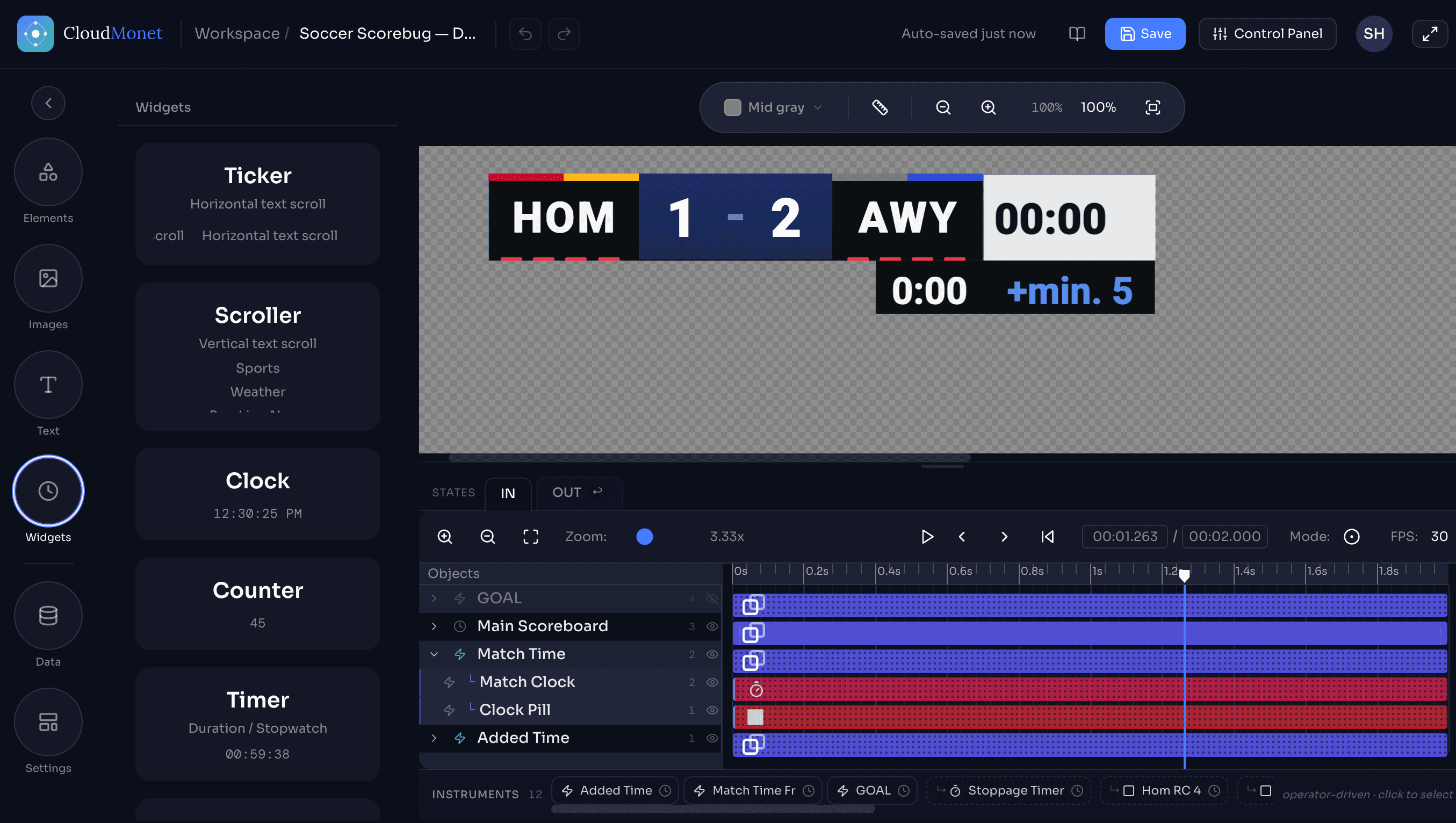 Want more control? Every template opens in a full editor, where you can move, restyle, and animate anything.
Anyone who goes live.
Broadcasters
Newsrooms, local TV, and sports networks. Lower-thirds, tickers, and scorebugs fed by live data.
Streamers and creators
Twitch and YouTube streams, podcasts, and subathons. Countdowns, tickers, and shout-outs you update from one page.
Esports and tournaments
Match scores, round timers, and sponsor tickers for tournaments and watch parties.
Schools and colleges
Student-run game streams, graduations, and assemblies. Simple enough to hand to a volunteer in the stands.
Clubs and local leagues
Weekend games streamed on one camera, with a scoreboard the parents can actually read.
Companies
Town halls and webinars. Speaker name tags, agenda timers, and announcements in your brand colors.
The things people ask first.
No. CloudMonet runs in your browser. You copy one link and paste it into OBS, Streamlabs, vMix, or anything else that accepts a browser source.
Yes — that's the point. The control page opens on your phone or a second laptop. Tap plus or minus and the stream updates right away. You never touch OBS again.
Yes. Every feature is free and you don't need a card to sign up. Free overlays show a small CloudMonet watermark in the corner. Pro removes it for $5 a month, billed annually.
No. Overlays have transparent backgrounds, so they sit cleanly on top of your video. No chroma key needed.
Yes. Add the control panel as a custom browser dock in OBS and run the whole match from the same window. Made a mistake? Undo it in one tap.
You can build your own scoreboard — choose what each button adds, how the clock runs, and what shows on screen. Most sports take a few minutes to set up. Or request your sport.
Yes. The same link works full-screen on a TV, projector, or laptop, so the crowd in the room and the people watching online see the same score.
Yes. Share the control link and anyone with it can update the score — handy when one person runs the camera and another keeps score.
Still have questions? Email us at support@cloudmonet.in
See all questionsYour next stream can look a lot better.
Set up your first overlay for free. Or try the live controls right now, no account needed.